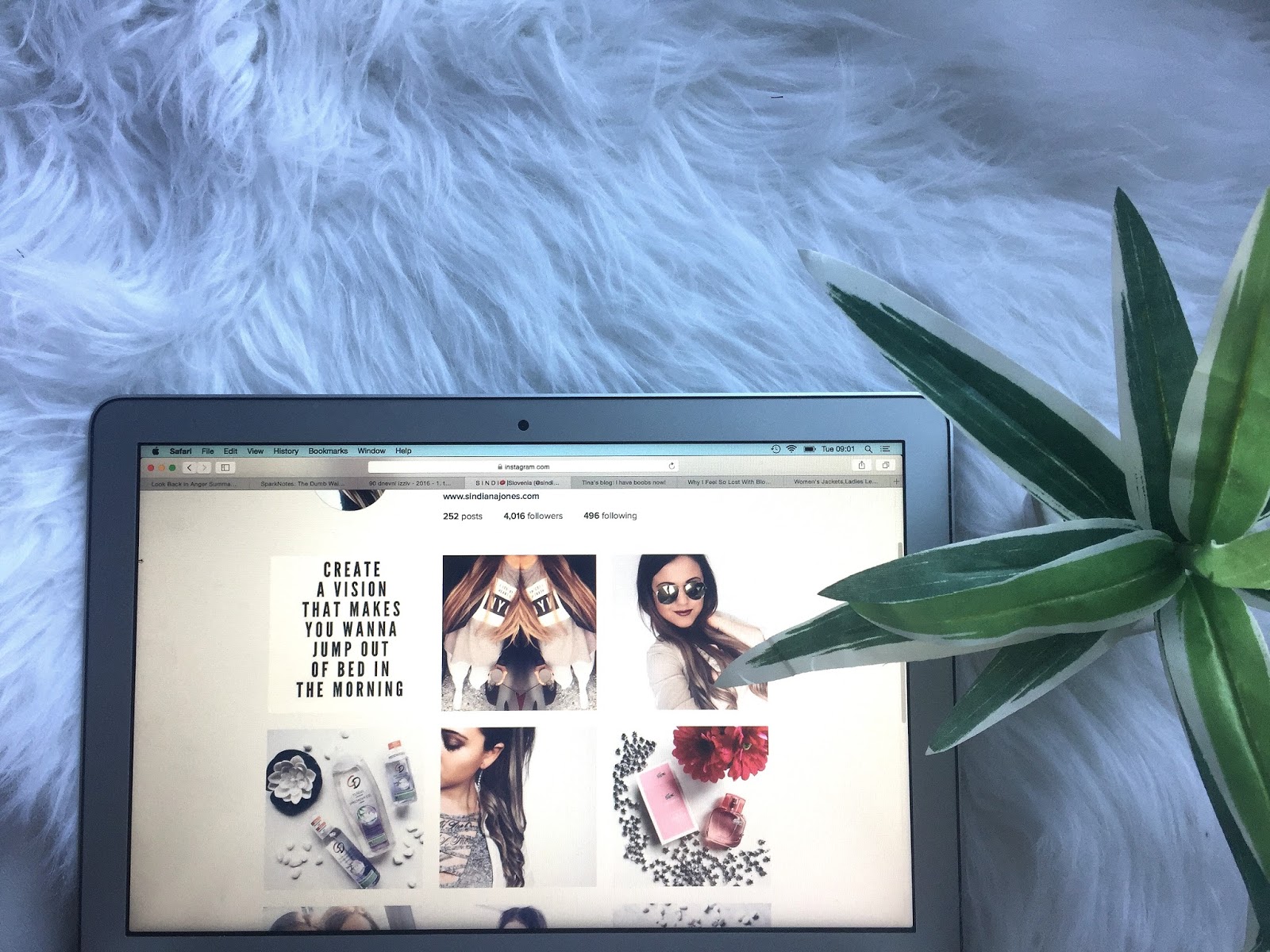
Kako urejam fotografije na socialnem omrežju Instagram je zadnje čase najpogostejše vprašanje v mojem inboxu. Danes se bom potrudila in ti korak za korakom poskusila prikazati »proceduro« urejanja fotografij. Ker zame Instagram pač JE pomemben in moram priznati, da večino svojega časa »online« posvetim prav temu omrežju. Zakaj? Ker obožujem fotografije, ki inspirirajo. Vedno več uporabnikov ustvarja estetsko dovršene profile oz. »feede«. Nekaj različnih bom prikazala tudi v nadaljevanju.
How do I edit photos on my Instagram profile has recently been the most common question in my Inbox. Today, I will try to present a step by step explaination about the “procedure” of editing photos. Because for me Instagram is an important blogging tool and I must admit that most of my time spent “online” is dedicated to this network. Why? Because I love photos that inspire. More and more users are creating aesthetic profiles or so called feeds. Some of them will be shown later.
 |
| @sindianajonesblog |
- Najprej, kako sploh ustvarim fotografijo. Vse moje »insta fotke« so ustvarjene s kamero na telefonuApple iPhone 6 Plus. Jaz sem s kamero zaenkrat zelo zadovoljna in tudi telefon ponavadi izberem na podlagi kamere. Na profilu blogerke Ajde Sitar sem videla, da bi tudi Huawei, ki ga ona uporablja, zelo ustrezal mojim željam glede fotografij in je vreden razmisleka. Vedno pazim tudi, da je svetloba “tista ta prava” za fotografiranje, na Instagramu nikoli ne bi objavila temne, motne ali (kako drugače za moje pojme) nekvalitetne fotografije. Včasih svetlobo tudi umetno poustvarim z namizno svetilko (ko fotografiram hrano npr).
- Let’s begin with how do I create an image. All my insta photos are created with the camera on theApple iPhone 6 Plus. I am very satisfied with the camera so far and my phone is usually chosen on the basis of the camera. I came across the Huawei phone on Ajda Sitar‘s profile and I think that this one is also suitable for my »photography needs«. I always make sure that the lightning is perfect for taking a picture because I would never publish a dark or a dull photo. Sometimes I artificially recreate some light with a lamp (e.g. when taking pictures of food).
 |
| @sindianajonesblog |
- Gremo sedaj k aplikacijam, ki jih uporabljam. Sama za eno samo fotografijo včasih uporabim tudi do5 aplikacij:
Let’s proceed to the actual apps I use. For a single photograph I sometimes use up to 5 applications:
SNAPSEED ali AFTERLIGHT: ti brezplačni aplikaciji uporabim, če želim prilagoditi svetlobo. Imata tudi veliko drugih nastavitev, vendar jih uporabljam v drugem programu.
FACETUNE: ta program je sicer plačljiv, vendar moj daleč najljubši. Ima funkcijo »beljenja« in ker je moja tema na Instagramu večinoma »belina«, mi prav pride, ko moram spremeniti kako rumeno oziroma sivo barvo v belo/svetlejšo. Uporabljam tudi funkciji smooth in details. Funkcija smooth zgladi vse neenakomerne površine, details pa, kot že ime pove, poudari razne detajle (npr. oči).
VSCO: nisem ljubiteljica filtrov, razen če kdo uporablja enak filter konstantno. Sama uporabljam brezplačni filter A5 v aplikaciji VSCO. To aplikacijo pa uporabljam tudi kot predogled svojega Instagram feeda. Vedno imam shranjene 2-3 slike vnaprej, da ugotovim, ali se bodo skladale z mojo splošno tematiko na Instagramu.
LAYOUT: to brezplačno aplikacijo uporabim, če želim uporabiti efekt »ogledala« ali samo podvojiti eno fotografijo. To naredim ponavadi, ko mi je všeč motiv fotografije, ne pa tudi ozadje/«okolica«.
INSTAGRAM: na koncu uporabim še sam Instagram. Fotografij nikoli ne posnamem s to aplikacijo, čeprav je to mogoče. Uporabim jo le za prilagajanje kontrasta in »temperature«. Ko je fotografija za moje pojme dodelana, jo pripravim za objavo in uporabim nekaj relevantnih »hashtagov«.
 |
| @sindianajonesblog |
SNAPSEED or AFTERLIGHT: I use these free apps mainly to adjust the light. They also have many other settings, but I use those in another app.
FACETUNE: This app isn’t free, but it is my favorite by far. It has the function of “bleaching” and because my topic on Instagram is mostly “whiteness” I use it when I have to change some yellow or gray tones to white or to brighten my photos. I also use the smooth and details options. The first one smooths out any uneven surface and the other one, details, as the name suggests, highlights various details (e.g. eyes).
VSCO: I’m not a huge fan of filters, unless someone uses the same filter all the time. I personally use the free filter A5 in the VSCO app. This application is also used as a preview of my Instagram feed. I always save 2-3 images in advance to find out whether they match my general theme on Instagram.
LAYOUT: I use this free app I use if I want to use the “mirror effect” or just to double one photo. I do this often when I like the motif of my pictures, but not the »background« section.
INSTAGRAM: at the end use Instagram itself. I never actually take photos with this application, altough it is possible. I use it only for adjusting the contrast and the temperature of photos.
Tako! To so moje skrivnosti, ki so sedaj razkrite. Moj profil lahko obiščeš tukajà @sindiana.jones.
Prilagam pa še nekaj Instagram feedov, ki so meni osebno zelo pri srcu in me vedno inspirirajo:
So! These are my secrets which are now revealed. You can visit my profile here: @sindiana.jones.
I also want to show you some Instagram feeds that inspire me:
 |
| @sabrinavidovic |
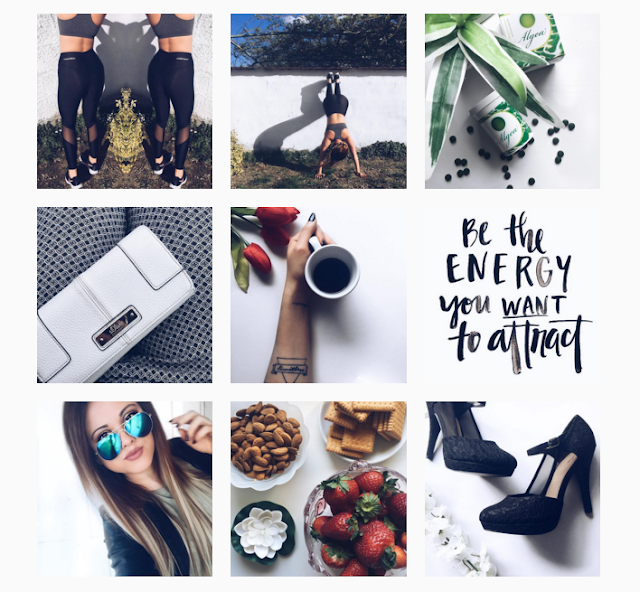
Moja prijateljica Sabrina je oseba, ki me je navdušila za “beli” Instagram. Je make-up artistka in večinoma fotografira bližnje posnetke make-upa, pa vendar mi je všeč kako so njeni motivi razporejeni, kakor tudi ona kot oseba in njen osebni stil. /This is my friend, Sabrina, who inspired me to focus on the “whiteness”. She is a make-up artist and mostly takes close-up photos of make-up. I also like her style in general.
 |
| @karinartistic |
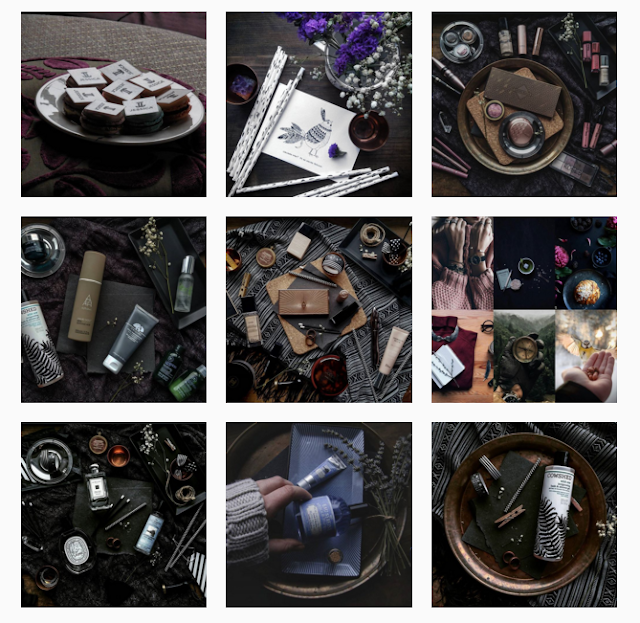
Ta profil je popoln kontrast mojega. Slike so temne, skrivnostne pa vendar estetsko popolnoma dovršene. Je dokaz, da se da tudi s temnimi fotografijami ustvarit vrhunski “feed”, ki je, ironično, prava osvežitev v morju belih, minimalističnih fotografij. Jaz sem zaljubljena v ta profil! /This profile is the perfect contrast to my own. The images are dark, mysterious and yet aesthetically perfect. This feed is the proof that a perfect feed can be created also with dark photos. This is, ironically, a real refreshment in the sea of white, minimalist pictures. I’m in love with this profile!
 |
| @ajdasitar |
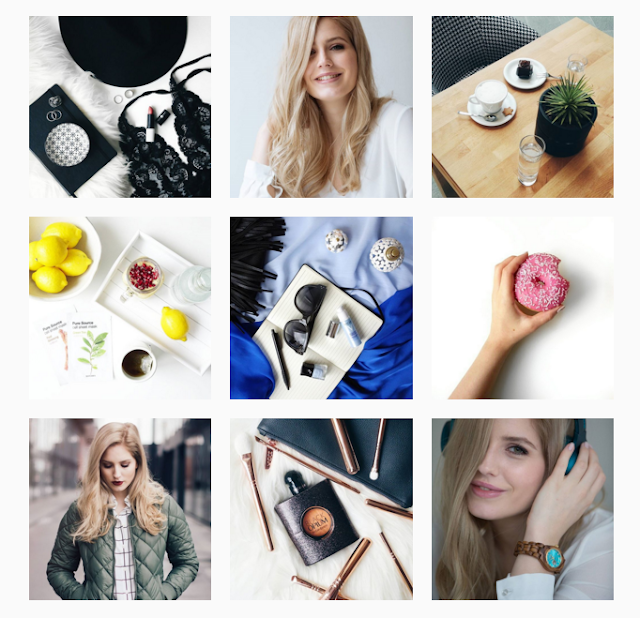
Ajdin profil je vrhunski. Rekla bi, da je zelo premišljen, vsaka stvar je tam, kjer je, z razlogom. Včasih objavi tudi temne fotografije, vendar nikoli 2 zaporedoma. Vsaka njena tretja slika se hkrati sklada s prvo, kar v mreži 3×3 nato izpade popolno. /Ajdas’ profile is excellent. I would say that it is very aforethought, everything is positioned the way it is for a reason. Sometimes she also posts a dark picture, but never two in a row. Her third picture is always consistent with the first, so in the “3×3 grid” everything looks perfect.
 |
| @ninnieboo |
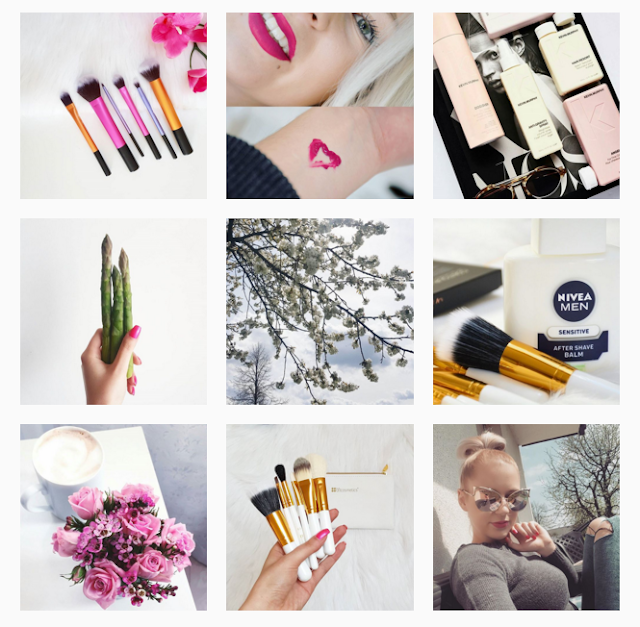
Njen profil sem odkrila pred kratkim. Neverjetno všeč mi je, kako “živo” izgleda vse skupaj. Večina profilov, ki jih imam rada, so bolj monotoni in umirjeni, ta pa prinaša veliko svežine in barve v moje “insta-novičke”. / Her profile, I discovered recently. Amazingly I like how “live” it looks all together. Most of the profiles, which I love, are more monotonous and calm, but this brings a lot of freshness and color into my news feed.
 |
| @skopljak |
Punca iz Bosne in Hercegovine, ki živi na Švedskem. / No further comments needed. #instagoals
Kakšna je pa tvoja Instagram tematika, tehnika? Prilepi mi link do svojega Instagrama pod komentarje, z veseljem ga pogledam, saj kot vidiš, sem “insta-obsedenka”. Ti je všeč moj izbor? Bi še katerega dodal/a?
What is your Instagram theme or technique? Send me a link to your Instagram in the comments section below, I will happy to look at it, because as you can see, I am truly an insta-addict. Do you like my selection of other profiles? Which ones would you have added?